# Roles and responsibilities
LLMS index: [llms.txt](/llms.txt)
---
Anyone can contribute to Kubernetes. As your contributions to SIG Docs grow,
you can apply for different levels of membership in the community.
These roles allow you to take on more responsibility within the community.
Each role requires more time and commitment. The roles are:
- Anyone: regular contributors to the Kubernetes documentation
- Members: can assign and triage issues and provide non-binding review on pull requests
- Reviewers: can lead reviews on documentation pull requests and can vouch for a change's quality
- Approvers: can lead reviews on documentation and merge changes
## Anyone
Anyone with a GitHub account can contribute to Kubernetes. SIG Docs welcomes all new contributors!
Anyone can:
- Open an issue in any [Kubernetes](https://github.com/kubernetes/)
repository, including
[`kubernetes/website`](https://github.com/kubernetes/website)
- Give non-binding feedback on a pull request
- Contribute to a localization
- Suggest improvements on [Slack](https://slack.k8s.io/) or the
[SIG docs mailing list](https://groups.google.com/forum/#!forum/kubernetes-sig-docs).
After [signing the CLA](https://github.com/kubernetes/community/blob/main/CLA.md), anyone can also:
- Open a pull request to improve existing content, add new content, or write a blog post or case study
- Create diagrams, graphics assets, and embeddable screencasts and videos
For more information, see [contributing new content](/docs/contribute/new-content/).
## Members
A member is someone who has submitted multiple pull requests to
`kubernetes/website`. Members are a part of the
[Kubernetes GitHub organization](https://github.com/kubernetes).
Members can:
- Do everything listed under [Anyone](#anyone)
- Use the `/lgtm` comment to add the LGTM (looks good to me) label to a pull request
Note:
Using /lgtm triggers automation. If you want to provide non-binding
approval, commenting "LGTM" works too!
- Use the `/hold` comment to block merging for a pull request
- Use the `/assign` comment to assign a reviewer to a pull request
- Provide non-binding review on pull requests
- Use automation to triage and categorize issues
- Document new features
### Becoming a member
After submitting at least 5 substantial pull requests and meeting the other
[requirements](https://github.com/kubernetes/community/blob/main/community-membership.md#member):
1. Find two [reviewers](#reviewers) or [approvers](#approvers) to
[sponsor](/docs/contribute/advanced#sponsor-a-new-contributor) your
membership.
Ask for sponsorship in the [#sig-docs channel on Slack](https://kubernetes.slack.com) or on the
[SIG Docs mailing list](https://groups.google.com/forum/#!forum/kubernetes-sig-docs).
Note:
Don't send a direct email or Slack direct message to an individual
SIG Docs member. You must request sponsorship before submitting your application.
1. Open a GitHub issue in the
[`kubernetes/org`](https://github.com/kubernetes/org/) repository. Use the
**Organization Membership Request** issue template.
1. Let your sponsors know about the GitHub issue. You can either:
- Mention their GitHub username in an issue (`@`)
- Send them the issue link using Slack or email.
Sponsors will approve your request with a `+1` vote. Once your sponsors
approve the request, a Kubernetes GitHub admin adds you as a member.
Congratulations!
If your membership request is not accepted you will receive feedback.
After addressing the feedback, apply again.
1. Accept the invitation to the Kubernetes GitHub organization in your email account.
Note:
GitHub sends the invitation to the default email address in your account.
## Reviewers
Reviewers are responsible for reviewing open pull requests. Unlike member
feedback, the PR author must address reviewer feedback. Reviewers are members of the
[@kubernetes/sig-docs-{language}-reviews](https://github.com/orgs/kubernetes/teams?query=sig-docs)
GitHub team.
Reviewers can:
- Do everything listed under [Anyone](#anyone) and [Members](#members)
- Review pull requests and provide binding feedback
Note:
To provide non-binding feedback, prefix your comments with a phrase like "Optionally: ".
- Edit user-facing strings in code
- Improve code comments
You can be a SIG Docs reviewer, or a reviewer for docs in a specific subject area.
### Assigning reviewers to pull requests
Automation assigns reviewers to all pull requests. You can request a
review from a specific person by commenting: `/assign
[@_github_handle]`.
If the assigned reviewer has not commented on the PR, another reviewer can
step in. You can also assign technical reviewers as needed.
### Using `/lgtm`
LGTM stands for "Looks good to me" and indicates that a pull request is
technically accurate and ready to merge. All PRs need a `/lgtm` comment from a
reviewer and a `/approve` comment from an approver to merge.
A `/lgtm` comment from reviewer is binding and triggers automation that adds the `lgtm` label.
### Becoming a reviewer
When you meet the
[requirements](https://github.com/kubernetes/community/blob/main/community-membership.md#reviewer),
you can become a SIG Docs reviewer. Reviewers in other SIGs must apply
separately for reviewer status in SIG Docs.
To apply:
1. Open a pull request that adds your GitHub username to a section of the
[OWNERS_ALIASES](https://github.com/kubernetes/website/blob/main/OWNERS_ALIASES) file
in the `kubernetes/website` repository.
Note:
If you aren't sure where to add yourself, add yourself to sig-docs-en-reviews.
1. Assign the PR to one or more SIG-Docs approvers (usernames listed under
`sig-docs-{language}-owners`).
If approved, a SIG Docs lead adds you to the appropriate GitHub team. Once added,
[K8s-ci-robot](https://github.com/kubernetes/test-infra/tree/master/prow#bots-home)
assigns and suggests you as a reviewer on new pull requests.
## Approvers
Approvers review and approve pull requests for merging. Approvers are members of the
[@kubernetes/sig-docs-{language}-owners](https://github.com/orgs/kubernetes/teams/?query=sig-docs)
GitHub teams.
Approvers can do the following:
- Everything listed under [Anyone](#anyone), [Members](#members) and [Reviewers](#reviewers)
- Publish contributor content by approving and merging pull requests using the `/approve` comment
- Propose improvements to the style guide
- Propose improvements to docs tests
- Propose improvements to the Kubernetes website or other tooling
If the PR already has a `/lgtm`, or if the approver also comments with
`/lgtm`, the PR merges automatically. A SIG Docs approver should only leave a
`/lgtm` on a change that doesn't need additional technical review.
### Approving pull requests
Approvers and SIG Docs leads are the only ones who can merge pull requests
into the website repository. This comes with certain responsibilities.
- Approvers can use the `/approve` command, which merges PRs into the repo.
Warning:
A careless merge can break the site, so be sure that when you merge something, you mean it.
- Make sure that proposed changes meet the
[documentation content guide](/docs/contribute/style/content-guide/).
If you ever have a question, or you're not sure about something, feel free
to call for additional review.
- Verify that Netlify tests pass before you `/approve` a PR.
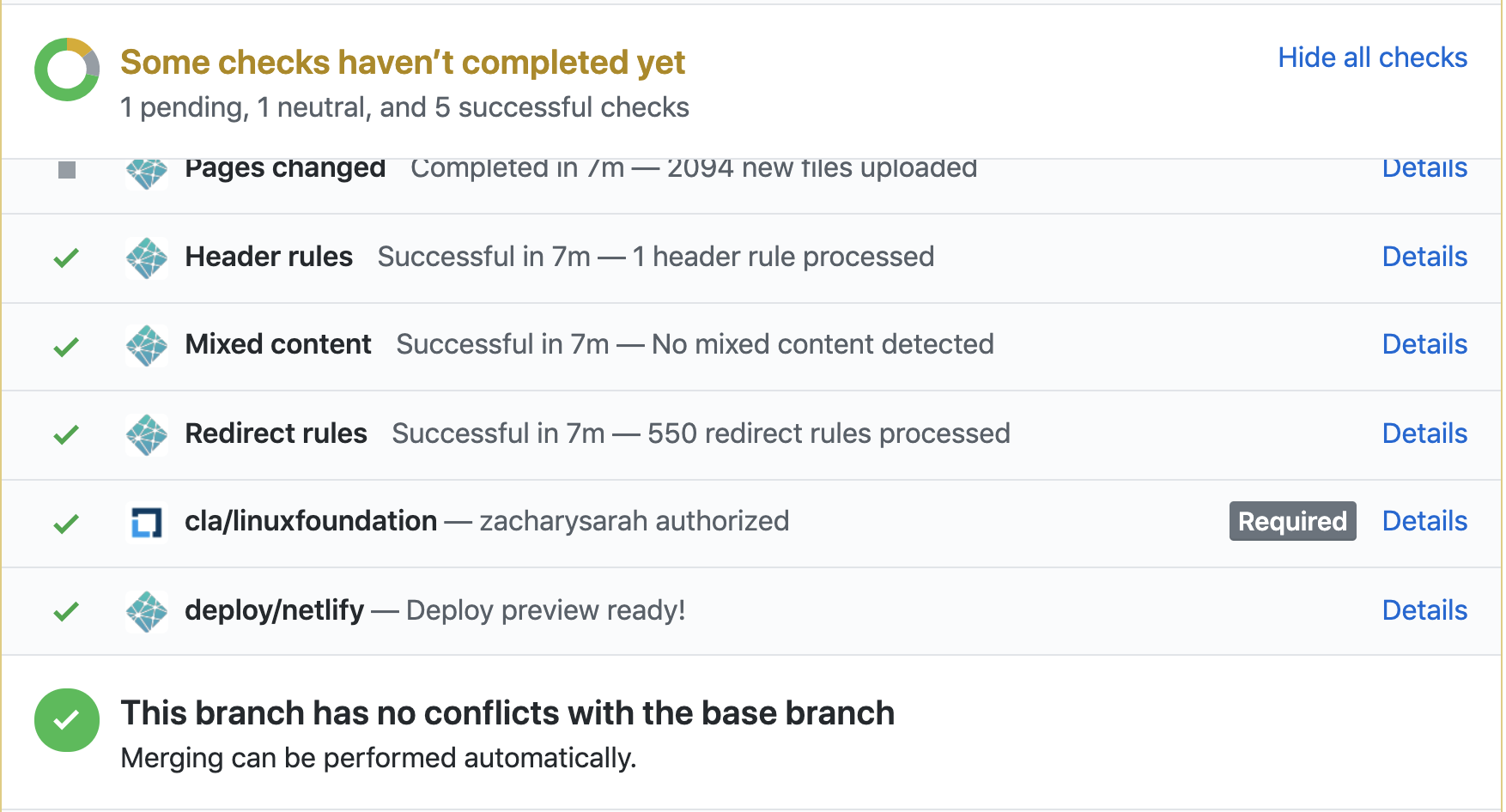 - Visit the Netlify page preview for a PR to make sure things look good before approving.
- Participate in the
[PR Wrangler rotation schedule](https://github.com/kubernetes/website/wiki/PR-Wranglers)
for weekly rotations. SIG Docs expects all approvers to participate in this
rotation. See [PR wranglers](/docs/contribute/participate/pr-wranglers/).
for more details.
### Becoming an approver
When you meet the
[requirements](https://github.com/kubernetes/community/blob/main/community-membership.md#approver),
you can become a SIG Docs approver. Approvers in other SIGs must apply
separately for approver status in SIG Docs.
To apply:
1. Open a pull request adding yourself to a section of the
[OWNERS_ALIASES](https://github.com/kubernetes/website/blob/main/OWNERS_ALIASES)
file in the `kubernetes/website` repository.
- Visit the Netlify page preview for a PR to make sure things look good before approving.
- Participate in the
[PR Wrangler rotation schedule](https://github.com/kubernetes/website/wiki/PR-Wranglers)
for weekly rotations. SIG Docs expects all approvers to participate in this
rotation. See [PR wranglers](/docs/contribute/participate/pr-wranglers/).
for more details.
### Becoming an approver
When you meet the
[requirements](https://github.com/kubernetes/community/blob/main/community-membership.md#approver),
you can become a SIG Docs approver. Approvers in other SIGs must apply
separately for approver status in SIG Docs.
To apply:
1. Open a pull request adding yourself to a section of the
[OWNERS_ALIASES](https://github.com/kubernetes/website/blob/main/OWNERS_ALIASES)
file in the `kubernetes/website` repository.
Note:
If you aren't sure where to add yourself, add yourself to `sig-docs-en-owners`.